

OneDrive Migration Tool
The classic Microsoft OneDrive LTI (plugin) will stop working on September 17, 2026.
After Sept. 17, 2026, content links in courses from the classic OneDrive LTI, (the plugin connecting Canvas to OneDrive), will stop working. However, files created in the classic app will remain accessible through Microsoft 365. Any Microsoft OneDrive files submitted as part of Canvas assignments as External Tool submission types will remain available in SpeedGrader, and are managed in Canvas storage. Many faculty copy courses into current Canvas shells.
Many faculty copy courses into current Canvas shells. Using the OneDrive Migration Tool, those files will continue to work in Microsoft Education.
Since last September 2025, faculty have been using the new Canvas plugin, Microsoft Education. Since then, Cal Poly Canvas Support has prevented users from using the old OneDrive plugin to create new file links. However, if you are still using OneDrive files in your Canvas courses, you need to migrate them to Microsoft Education so students can access them going forward.
Through the course Settings page:
NOTE: This uses pop-up windows. Make sure you have not disabled them in your browser.
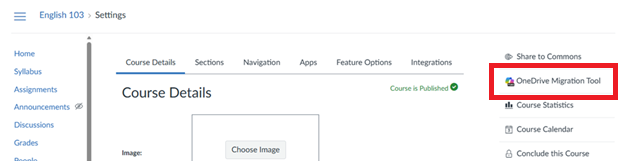
- Click on the Settings course link on the bottom right.
- Click on the OneDrive Migration Tool button in the right menu.
- The first time you run the tool, you will need to Authorize.
- The migration tool will scan the files.
NOTE: The OneDrive Migration Tool scans for classic OneDrive LTI file links that are linked or embedded in Assignments, Modules, Pages, Announcements, Discussions, Syllabus, and Quizzes (original). - Confirm the content items to be migrated and select the Migrate button.
- A progress page will appear and confirm when the files have been migrated. Click on the Done button after all have been migrated.
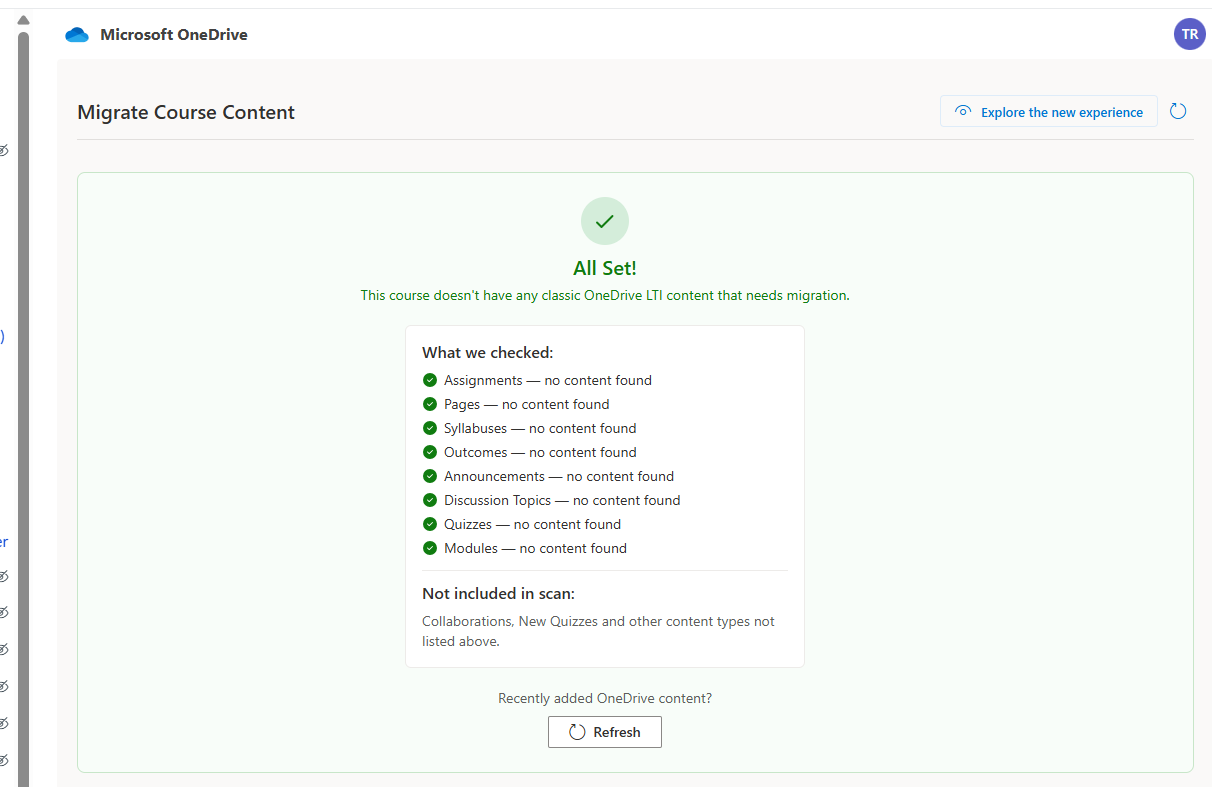
NOTE: If you run the migration tool and there are no files to migrate, don't worry. This means you do not have any OneDrive files to move.